by Stayconnect Websites | Jan 13, 2026 | Internet & Wi-Fi

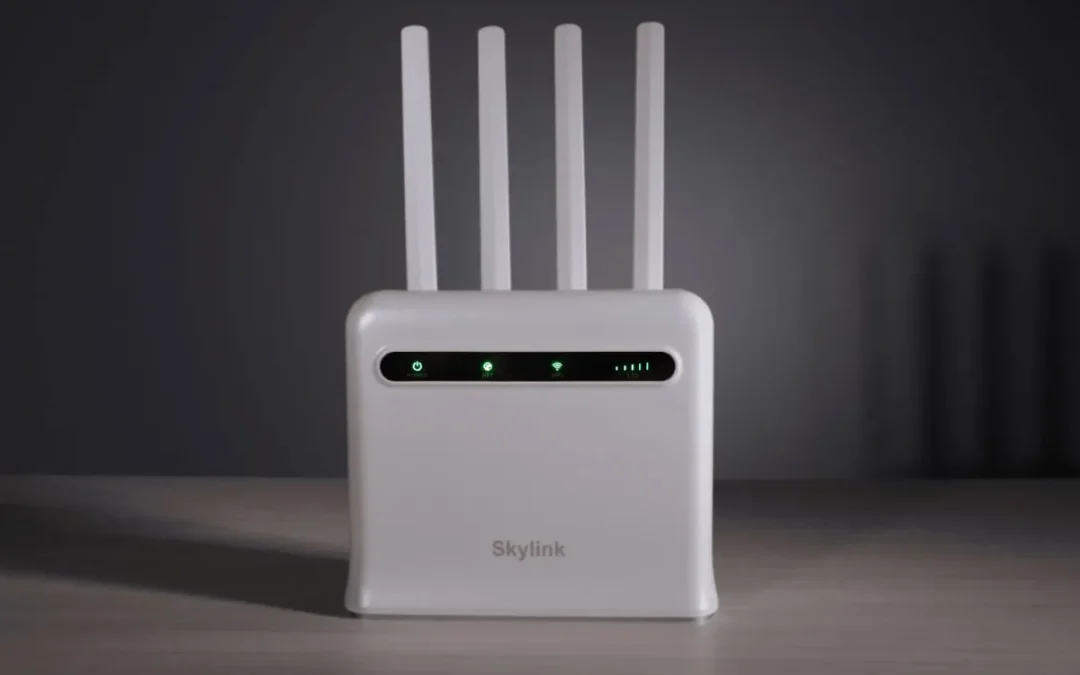
If your internet feels slow, unstable, or unreliable, your router may be the real problem. Many people ask, How do I know if my router needs replacing? The truth is, your internet connection can only be as good as the router running your home network.
At Stay Connect, we help homes and businesses stay connected with reliable router technology designed for modern needs. Whether you are working from home, streaming, gaming, or using smart home devices, your router plays a huge role in your daily life. Knowing when to replace your router can save you time, stress, and money.
This guide breaks down the telltale signs, explains what to look for, and helps you decide when it may be time for an upgrade.
Why Your Router Matters More Than You Think
Think of your router as the traffic controller for your entire home network. It takes the internet connection from your modem and sends it to every device in your home. If the router is outdated, aging, or struggling, everything connected to the internet will feel slow.
An older router may not deliver the internet speeds you are paying for, even if your internet service provider is doing their job. New devices, smart home systems, and newer Wi-Fi standards demand more from your router than ever before.
7 Signs Your Router Needs Replacing
1. Your Internet Is Slow No Matter What You Do
Slow internet speeds are one of the most common signs you need a new router. If you upgraded your internet plan but didn’t see improved performance, your router could be the bottleneck.
A router that does not support the latest Wi-Fi standards may struggle to keep up. This is especially true if multiple home devices are online simultaneously.
Sign to look for
- Slow downloads
- Lag during video calls
- Buffering while streaming
If your router cannot deliver the internet speeds you are paying for, it may be time to upgrade.
2. Your Router Keeps Rebooting or Dropping the Signal
If your router reboots on its own, disconnects often, or stops working until you unplug it, that is a major warning sign.
An aging router may overheat, lose stability, or fail under daily use. Frequent router troubleshooting with no lasting fix usually means it is time to replace your router.
3. WiFi Coverage Is Weak Around Your Home
Does your Wi-Fi work fine near the router but fail as you move farther away? Distance from the router should not cause dead zones in an average-sized home.
An outdated router may not deliver a strong signal throughout your home. Newer wireless router models are designed to give better coverage and more stable performance.
If moving your router does not help, the router itself may be the problem.
4. Your Router Is Old and Outdated
Router technology changes fast. If you are using an older router that is 5 years or older, it may not support new Wi-Fi standards.
Most experts recommend replacing a router every 2 to 3 years for peak performance, or at least every 5 years. If your router does not support WiFi 6, WiFi 6E, or WiFi 7, it may already be behind.
An outdated router can slow down your entire home network.
5. New Devices Struggle to Connect
New phones, laptops, TVs, and smart home devices expect modern router technology. If your router does not support the latest Wi-Fi standards, new devices may disconnect, lag, or fail to connect at all.
This is a clear sign that your router does not meet your home’s needs today.
6. You Are Working From Home and Need Reliability
Working from home puts more pressure on your internet connection. Video meetings, cloud apps, and file uploads require a reliable router.
If your router struggles during work hours, drops calls, or slows down when others are online, it is time to replace it with a reliable router that can handle daily demand.
7. Your Router Is No Longer Supported or Secure
Router security matters more than ever. An unsupported router may stop receiving updates, which puts your home network at risk.
If your router model no longer gets firmware updates, it becomes an easy target for security threats. A new router helps protect your data and ensures safer internet use for every device in your home.
Router vs Modem: Know the Difference
Many people confuse a modem and a router. The modem connects directly to your internet service provider. The router takes that connection and shares it with your home.
Even if your modem works fine, your router may be causing slow speeds or dropped connections. Replacing the router alone can make a big difference.
Should You Repair or Replace Your Router?
Before you replace your router, you can try basic router troubleshooting:
- Restart the router
- Update firmware
- Use an Ethernet cable to test direct speeds
- Move the router to a central location
If these steps do not help, your router is likely the issue. When problems keep coming back, it is time to upgrade your router rather than waste time fixing an old one.
Renting a Router vs Buying Your Own
A router is frequently rented from the ISP (Internet Service Provider). These routers often lack advanced features and may not be the best option for your needs.
Buying a new router gives you:
- Better performance
- More control
- Support for new Wi-Fi standards
- Long-term savings
A router or mesh system designed for your home will consistently outperform basic rental equipment.
How to Choose the Right Router
When it is time to replace your router, look for:
- Support for the latest Wi-Fi standards
- Strong coverage for your entire home
- Ability to handle many devices at once
- Advanced security features
- Reliable performance for work and streaming
Stay Connect offers modern router solutions designed to support today’s connected homes and businesses.
Summary: Know When It’s Time
Knowing when it is time to replace your router helps you avoid frustration and slow internet. If your current router struggles, drops connections, or cannot support new devices, it is time for an upgrade.
At Stay Connect, we believe a strong home network starts with the right router. A modern router means faster speeds, better coverage, and a smoother online experience.
Frequently Asked Questions
How often should routers be replaced?
Most routers should be replaced every two to three years for best performance, or at least every five years.
What is the lifespan of a WiFi router?
The average Wi-Fi router lasts about three to five years before performance drops.
How can you tell when your router is going bad?
Frequent disconnects, slow speeds, and weak coverage are common signs that indicate you need a new router.
Does unplugging a router reset it?
Unplugging restarts the router, but it does not fix deeper hardware or technology limits.
Can an old router slow down my internet?
Yes, an old router can limit internet speeds even if your internet plan is fast.
We Can Help
If you are experiencing slow internet, weak Wi-Fi, or frequent router issues, it may be time to upgrade. Stay Connect provides reliable router solutions and connectivity products designed for homes and businesses.
Visit our shop or contact us today to get expert help choosing the right router for your needs. Call us at (888) 997-6877 and take the first step toward a faster, more reliable internet connection.
Also Read:
How Do I Set Up Wireless Internet? (Easy Home Wi-Fi Network Set Up)
Can Routers Affect Internet Speed? (The Complete Guide for Faster, Stronger Home Wi-Fi)
Where Is the Best Place for Your Router for Faster Internet?
Do I Need Router If I Have WiFi? (A Simple Guide for Your Home Internet)
Will a Better Router Improve WiFi Strength? (How Upgrading Your WiFi Router Can Boost Your Internet Speed)

by Stayconnect Websites | Dec 30, 2025 | Internet & Wi-Fi

Setting up wireless internet at home may sound hard, but it is easier than most people think. With the right steps and a little guidance, you can enjoy fast and reliable internet access in your home or office. At Stay Connect, we help people get connected using trusted 4G and 5G wireless solutions, so they can work, stream, and stay online without stress.
If you are asking, how do I set up wireless internet?, this guide walks you through everything you need to know, from basic equipment to connecting your devices and improving your Wi-Fi signal.
What Is Wireless Internet and How It Works
Wireless internet lets you access the internet without plugging every device into a cable. A wireless router sends a Wi-Fi signal that devices can use to connect to your home network.
Here is how it works:
- Your internet service provider sends internet access to your home
- A modem brings that internet connection inside
- A wireless router shares it as a Wi-Fi network
- Your phone, laptop, or other wireless device connects using a Wi-Fi password
Once set up, the network allows you to connect multiple devices to the internet simultaneously.
What You Need to Set Up Wireless Internet at Home
Before setting up your home Wi-Fi network, make sure you have these basic items ready:
- An active internet connection from an internet provider
- A modem (or modem with an Ethernet cable)
- A wireless router
- An Ethernet cable
- A web browser-equipped laptop or smartphone
Some homes use fiber internet or an optical network, while others rely on 4G or 5G wireless internet. The setup process is similar, but the modem type may vary.
Step-by-Step Guide to Set Up a Home Wi-Fi Network
Step 1: Connect the Modem
Connect the modem to your internet source first. This could be a phone jack, fiber line, or wireless gateway. Once powered on, connect the modem to the router using an Ethernet cable. Plug the cable into the port on the router marked WAN or Internet.
This step helps connect the modem to the router so the network and the internet can work together.
Step 2: Power On and Position Your Router
Turn on the wireless router and place it in a central location. A router in a central location helps broadcast the Wi-Fi signal evenly and improves signal throughout your home.
Don’t place it near metal objects or thick walls. Proper router use and placement can make a big difference in internet speed and wireless signal strength.
Step 3: Access Router Settings Using a Web Browser
On your laptop or mobile device, open a web browser. Enter the default IP address found on the router label. You will then be sent to the router settings page.
To log in, enter your username and default password. This information is also listed on the router.
Step 4: Create a Unique Network Name and Password
Now it is time to set up your Wi-Fi network details:
- Change the default network name to a unique network name
- Create a strong Wi-Fi password
- Save your changes
This step helps protect your network security and keeps others from using your home internet without permission.
Step 5: Connect Your Devices to the Internet
Go to Wi-Fi settings on your phone, laptop, or tablet. Find your new network name, select it, and enter the password.
Once connected, your devices can use the internet wirelessly within your home network.
How to Set Up Wireless Internet Without a Cable Line
Many people now use wireless internet without a cable or phone jack. With 4G and 5G home internet, you can get internet access using a wireless gateway instead of a traditional modem.
This option works well for:
- Home offices
- Rural areas
- Temporary homes
- Businesses that need a fast setup
These networks vary by location, but they offer high-speed internet with easy setup.
Tips to Improve Your Wi-Fi Signal at Home
To get the best Wi-Fi connection, follow these tips:
- Use a router that supports Wi-Fi 6 for better performance
- Keep your router firmware updated
- Position your router in an open space
- Create a guest network for visitors
- Limit interference from nearby devices
A strong Wi-Fi signal helps devices connect faster and stay connected longer.
Setting Up Wireless Internet for Windows 11 Devices
If you are using Windows 11, connecting is simple:
- Click Network Settings
- Select wi-fi
- Choose your network name
- Enter the password
- Start using Wi-Fi
Once connected, your device stays linked unless the network password changes.
Why 4G and 5G Wireless Internet Is a Smart Choice
Wireless internet using 4G and 5G networks offers flexibility and speed. It is ideal for homes that want internet without long installation times.
Benefits include:
- Fast setup
- Reliable internet speed
- Easy to move or relocate
- Works well for home or office use
This type of network at home supports streaming, video calls, and daily work needs.
Common Wireless Internet Setup Mistakes to Avoid
Avoid these common issues during Wi-Fi setup:
- Leaving the default network name
- Using a weak password
- Placing the router in a corner
- Skipping router updates
Taking time to set things up correctly ensures better network security and performance.
FAQs About Setting Up Wireless Internet
What do I need to set up wireless internet in my home?
You need an internet connection, a modem or wireless gateway, a wireless router, and a device to access router settings.
How do you connect to a wireless internet?
Select the Wi-Fi network on your device, enter the Wi-Fi password, and connect.
How to activate wireless Wi-Fi?
Once the router is powered on and connected to the modem, Wi-Fi is active after setting up the router settings.
Can I set up Wi-Fi without a modem?
Yes, with 4G or 5G wireless internet, you can use a wireless gateway instead of a traditional modem.
How long does it take to set up a home Wi-Fi network?
Most setups take 15 to 30 minutes if all equipment is ready.
Final Thoughts on Wireless Internet Setup
Knowing how do I set up wireless internet helps you take control of your home network. With the right steps, you can create a secure and reliable Wi-Fi connection that supports all your devices.
At Stay Connect, we help homes and businesses get connected using modern wireless internet solutions designed for speed, ease, and reliability.
Ready to upgrade your home internet or set up wireless internet the right way? Stay Connect offers trusted 4G and 5G wireless solutions, home internet options, and business connectivity services. We proudly serve multiple service areas and help customers get fast, dependable internet without hassle.
Call (888) 997-6877 today or contact us to explore our internet products and solutions and book your appointment now.
Also Read:
What Are 7 Ways Wireless Internet Connection Saves Money?
Can Routers Affect Internet Speed? (The Complete Guide for Faster, Stronger Home Wi-Fi)
Where Is the Best Place for Your Router for Faster Internet?
by Stayconnect Websites | Dec 26, 2025 | Internet & Wi-Fi
If you ever wonder, ‘Do I need a router if I have WiFi?’ you are not alone. Many homeowners and business owners ask this when setting up their home internet or wireless network for the first time. Stay Connect knows good internet matters. We help people understand their internet gear and choose the right products so they get strong, fast, and reliable internet in every room.
We will explain what a router and modem do, how WiFi works, and whether you really need a router even when you already have WiFi. You will learn the differences between these devices, how they enhance your internet connection, and why Stay Connect offers great options for improving your home network.
What are WiFi, Router, and Modem?
What Is WiFi?
WiFi is a wireless connection that lets your devices communicate with each other and the internet without wires. Your phone, laptop, smart TVs, and tablets use a WiFi signal to connect to your home internet.
What Is a Router?
A router is a device that:
- Takes the internet from your modem
- Creates a WiFi network in your home
- Allows many devices to connect to the internet at the same time
- Gives your home network a local area network (LAN) so devices can talk to each other
Without a router, only a single device can connect to your internet via a wired connection. A router lets many devices connect wirelessly or with an Ethernet cable.
What Is a Modem?
A modem is a device that connects your home to the internet service provider (ISP). It brings the internet to your house. Most ISPs give you a modem that plugs into the wall. The modem then sends the internet to a router.
Modem vs Router: What’s the Difference?
- Modem: connects your home to the internet
- Router: shares the internet with your devices (WiFi or wired)
A modem cannot give WiFi on its own, and a router can’t connect directly to the ISP without a modem. You need both to have a complete wireless internet setup in most cases.
Do I Need a Router If I Have WiFi?
Short answer: Yes, you still need a router even if you have WiFi.
Why?
- WiFi by itself is just a wireless signal your devices use to connect
- That signal must come from a router or a device acting like a router
- The router receives the internet from the modem and broadcasts WiFi
- Without a router, just one device can connect with a wired connection, and you will not have true WiFi
So if someone has told you you have “WiFi,” they usually mean you have a modem-router combo from your ISP or a separate wifi router in your home.
What Happens Without a Router?
If you try to use WiFi without a router:
- You might not get any WiFi signal at all
- Only one device could connect with an Ethernet cable
- Your devices would not be able to talk to each other on a home network
- You could lose access to the internet on phones, tablets, smart TVs, and laptops
For most homes and businesses, a router and modem setup is the best way to get strong, fast internet for all your tech.
Modem and Router Setups You Might See
There are a few different options for your internet equipment:
1. Separate Modem and a Router
You have two devices:
- A modem connected to your ISP
- A router connected to the modem
This is the most common setup for strong WiFi and fast internet speeds. You can choose your own router and upgrade when you need to.
2. Modem and Router Combo
Some ISPs give you a cable modem router combo. This single device:
- Connects to your ISP
- Creates WiFi
- Lets many devices connect
This is simpler but not always the best for big homes or very fast internet speeds.
3. Advanced Router (No Separate Modem)
There are some devices that use cellular or wireless internet without a separate modem. These work like both a modem and a router in one, but they are uncommon in most home internet plans.
Why a Router Matters for Your WiFi
Here is what a router gives you:
- Broadcasts WiFi to every room
- Lets many devices use the internet at the same time
- Provides fast wireless speeds for streaming, video calls, and gaming
- Helps manage internet traffic so nothing slows down
- Works with wired connections via Ethernet ports
Without a router, you often have weak or no WiFi in parts of your home or office.
Common Questions About the Router and WiFi
Can I use Wi-Fi without a router?
No. WiFi must come from a router or modem-router combo. Without a router, you will not have a wireless network for phones, laptops, or smart TVs.
Do I need a router if I have a smart TV?
Yes. To access the internet, a smart TV must be connected to a router by Wi-Fi or Ethernet. The router lets your TV stream shows and connect to apps without wires.
Do I need a modem if I have Wi-Fi?
Yes. A modem connects your home to your ISP and brings the internet to your router. Then the router shares the internet connection via Wi-Fi and wired connections.
What is the difference between a router and a modem?
A modem links your home to the internet. A router shares the internet with all your devices and gives you a home WiFi network.
Can multiple devices connect at once without a router?
Not really. You need a router to connect many devices at the same time, wirelessly or with a LAN Ethernet connector.
Do I need both a modem and a router for internet access?
In most homes, yes. You need both a modem and a wireless router. The internet modem delivers internet from your internet provider, and the router connects your home network so devices can use the internet wirelessly or through wired internet.
How does a router work with my home internet connection?
A router takes signals from your internet service and shares them with your devices. It assigns an IP address, the router creates a local area network, and lets multiple devices to connect at the same time.
Can I connect devices to the internet without a router?
A single device can connect to a wired internet, but a router is needed to share a single internet connection. Routers allow many devices to connect and send data across the network to the internet.
Does a fiber optic or DOCSIS 3.1 cable modem change what I need?
No. Whether you use a fiber optic or a DOCSIS 3.1 cable modem, you still need a router. The modem delivers internet, and the router provides internet access to devices in your home.
What should I look for when buying a router?
When buying a router, look for one that supports fast speeds, strong WiFi coverage, and many devices. Good routers broadcast stable signals, support the fastest wireless speeds, and help you find the right internet options for your home or office.
Final Thoughts
If you want fast wireless internet, smooth streaming, and strong WiFi for all your phones, tablets, laptops, and smart TVs, you do need a router if you have WiFi. A good router creates a wifi network that lets every device in your home access the internet without lag or trouble. Pairing it with the right modem from your internet service provider makes your whole network faster and more stable.
Stay Connect has quality routers and solutions to help you stay connected at home or work. Our products work with many ISPs and help you get the most out of your internet plan.
Ready to power up your home internet and connect every device with fast wireless speeds? Visit Stay Connect to find the perfect routers and modems for your home network and business needs. Our team can help you choose the right router, modem and router setup, or wireless solution for Dallas, Texas, and surrounding areas. Call us at (888) 997-6877 to book your tech support or visit our products page today.
Also Read:
Will a Better Router Improve WiFi Strength? (How Upgrading Your WiFi Router Can Boost Your Internet Speed)
What Are 7 Ways Wireless Internet Connection Saves Money?
How Do 5 Fixes Improve Your Reliable Internet Connection?
by Stayconnect Websites | Dec 12, 2025 | Internet & Wi-Fi
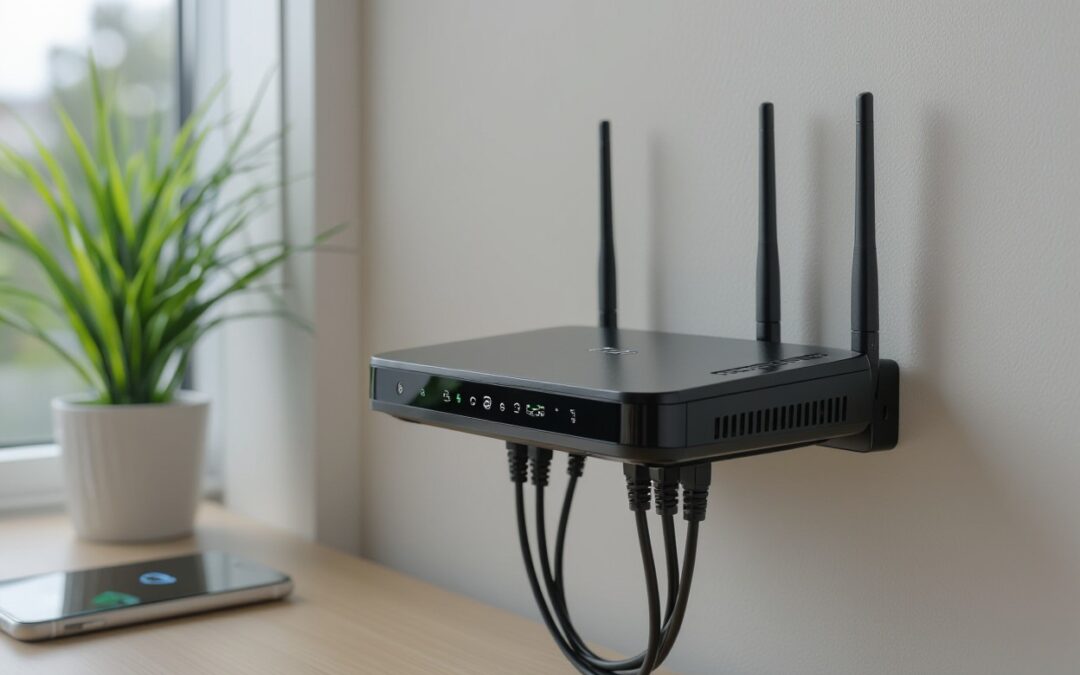
If your WiFi feels slow, shaky, or drops when several devices are connected, a new router might help. At Stay Connect, we know how much better things can get when you use a strong, modern wireless router. A better router can improve WiFi strength, give faster speeds, and make your internet more stable, whether you stream, work from home, game, or run smart home devices.
Let’s look at how a new router can improve performance and when it’s worth the upgrade.
Why Your Present Router Might Be Holding You Back
- Older routers lack the latest wireless tech. Older routers may only support basic WiFi standards. Newer routers, especially WiFi 6 routers, use updated protocols. This means faster internet speed, better handling of many devices, and stronger WiFi signals.
- Limited bandwidth slows down the connection when many devices are connected. If you have several smartphones, smart home devices, laptops, or gaming consoles, the old router can become a bottleneck. You might see slowdowns, buffering, or dropped connections.
- Weak antenna or poor placement reduces WiFi range. If your router has weak antennas or is tucked away in a corner, your WiFi signal might not reach every part of your home or office. This creates dead zones.
- Firmware is outdated or missing features like beamforming or better encryption (like WPA3). Without up-to-date firmware, the router may not manage wireless connections well or secure them properly.
- Old hardware struggles with modern internet plans. If you recently upgraded your internet plan or moved to a faster connection, your older router might not let you enjoy the full speed.
What a Better Router Actually Does
Upgrading to a good wireless router brings several real improvements for your home network:
Faster, More Stable Internet
Modern routers support higher data rates. With a WiFi 6 router or other latest-generation wireless models, you get faster speeds and better performance. That helps with streaming 4K video, video calls, online gaming, and heavy workloads.
Stronger WiFi Signal and Wider Coverage
A newer router often includes better antennas and improved signal management. It can push WiFi signals farther, reduce dead zones, and keep connections stable even when devices are far from the router.
Better Handling of Multiple Devices
If many devices are connected, laptops, phones, smart home gadgets, a newer router manages bandwidth more efficiently. That means less slowdown, less buffering, and fewer dropped connections.
Improved Reliability and Security
Better routers usually support newer encryption standards, like WPA3, and more features. That helps protect your network from hackers and ensures a stable wireless connection.
More Flexibility (mesh WiFi, extender support, Ethernet ports)
Modern routers often support mesh WiFi systems, range extenders, or use Ethernet ports for wired connections. You can extend your WiFi range, connect devices with cables for the fastest speeds, or use a hybrid wired-and-wireless connection.
When Upgrading Makes the Most Sense
You may want to upgrade your WiFi router when:
- Your current WiFi router is several years old and does not support WiFi 5 or WiFi 6.
- Many devices are connected (smartphones, laptops, gaming consoles, smart home devices).
- You experience frequent dead zones or weak signals in parts of your home or office.
- You upgraded your internet plan, but are not achieving the promised speeds due to your router’s limitations.
- You need a more stable internet for work from home, video conferencing, or online gaming.
- You want better security and network protection with modern encryption and firmware updates.
If any of these apply, a newer wireless router may significantly improve your internet connection.
Can a Better Router Increase WiFi Range?
Yes, a better wireless router often improves WiFi range. With stronger antennas, improved signal strength, and features like beamforming, a modern router can deliver WiFi across a larger area. This helps you connect reliably in different rooms, or even upstairs or downstairs.
For larger spaces or multi-floor homes, this improved range often makes a noticeable difference compared to older routing gear.
Is It Worth Upgrading Your WiFi Router?
In many cases, yes, upgrading can be well worth it. If you:
- Use many devices,
- Have slow or unreliable WiFi,
- See speed limits even when your internet plan is fast,
- Experience dropped connections or buffering,
then a new router can significantly improve your experience.
But if your needs are basic (light browsing, email on one or two devices), and you live in a small apartment, the improvement may be less dramatic.
How to Improve WiFi Strength: More Than Just a New Router
Upgrading the router helps, but here are extra steps to get the best signal and speed:
- Place your router in a central location. Keep it away from walls or metal objects, and avoid putting it in a cabinet. This helps WiFi signals spread evenly through your home or office.
- Use a wired connection (Ethernet) when possible. Devices connected via cable often get the fastest, most stable speeds.
- Update router firmware regularly. This can improve performance and security.
- Consider a mesh WiFi system or a WiFi extender if you have dead zones. A mesh system or range extender helps spread coverage across larger spaces.
- Use a WiFi 6 router or newer when possible. New wireless standards deliver better performance and work well with many devices.
- Use band steering or dual-band routers (2.4 GHz + 5 GHz). This lets devices pick the best band for stability vs speed.
- Secure your network with strong encryption (WPA3). This helps protect your home network from unauthorized access and keeps connections stable.
Why Stay Connect Is the Right Partner for You
At Stay Connect, we provide advanced wireless routers, including 4G and 5G models, to deliver a strong WiFi signal, faster speeds, and stable connectivity. Whether you are in a small home, a large house, or a rural area where regular broadband is weak or unavailable, our routers work well. Our team in Allen, Texas will help you find the right solution for your home or office needs, and make setup easy and stress-free.
Frequently Asked Questions (FAQs)
Can a better router increase WiFi range?
Yes. A newer router with stronger antennas, modern wireless standards, and better signal management can push WiFi further and reduce dead zones.
Is it worth upgrading your WiFi router?
If your internet feels slow, you have many connected devices, or you upgraded your internet plan, but your speed didn’t improve, upgrading can be worth it. For basic use in a small space, the gains may be less.
Does a router affect WiFi strength?
Yes. A router’s age, antenna, WiFi standard (e.g. WiFi 6 vs older), and position all affect how strong and stable your signal is.
How to make your WiFi router signal stronger?
You can place the router in a central, open spot, update the firmware, use a new router or a WiFi 6 model, add a mesh system or an extender, or use Ethernet for key devices.
Will a better router improve WiFi strength for gaming and multiple devices?
Yes. A modern router, with dual-band or WiFi 6, good antennas, and bandwidth handling, can support gaming, streaming, smart home devices, and many other connected devices simultaneously, delivering a stable, fast internet connection.
What else besides a router can improve my home network?
Using a mesh WiFi system, WiFi range extender, wired connections for stationary devices, and placing the router properly can all help. Also, secure your network with updated encryption and firmware.
Can a router help extend the range of wireless signals?
Yes, a newer router can help extend the range by boosting WiFi signals and improving coverage. You can also add an access point or a WiFi booster to reach more areas of your home.
How do I know if my connection speed is slow because of the router?
Run a speed test directly through your modem, then compare it with the speed on your WiFi connection. If the numbers drop a lot, the router may be limiting WiFi bandwidth.
What is the best way to troubleshoot weak WiFi signals?
Try moving your WiFi to a central spot, changing the channel, and checking for obstructions around the router. Updating to the latest wireless standards or using mesh WiFi often gives reliable, stable performance.
Final Thoughts
If you want a stronger WiFi signal, faster internet speed, wider coverage, and stable connections for all your devices, a new wireless router can make a big difference. At Stay Connect, we build and offer top-tier 4G/5G and WiFi 6 routers for homes and businesses in Allen, Texas, and beyond.
Reach out to us at (888) 997-6877 or visit our site to explore our router lineup and find the best solution for your home or office. Upgrade your home network today, and enjoy reliable, fast internet for streaming, gaming, working, or smart home devices.
Also Read:
Can Routers Affect Internet Speed? (The Complete Guide for Faster, Stronger Home Wi-Fi)
Where Is the Best Place for Your Router for Faster Internet?
How Do 5 Fixes Improve Your Reliable Internet Connection?

by Stayconnect Websites | Nov 25, 2025 | Internet & Wi-Fi
If you have ever wondered, “Can routers affect internet speed?”, the short answer is yes, they can, and often more than you think. At Stay Connect, we talk to many homeowners and small business owners who deal with slow internet, and most of the time, the router is a big part of the problem. Your router is responsible for connecting all your devices to the internet, so when it falls behind, your whole network slows down.
This guide breaks down how your router can affect your internet connection, the signs your router is slowing things down, and the simplest ways to get faster internet speeds at home.
How Your Router Affects the Speed of Your Internet Connection
Your router plays a big part in the speed of your internet because it handles all the internet traffic moving between your devices and your modem. Even if you have a high-speed internet plan, the wrong router may slow your internet speed without you noticing.
Here’s how it happens:
1. Older Routers Can’t Handle Modern Speeds
Many homes still use an older router that can’t support the maximum speed of today’s plans.
If you upgraded your internet plan but your router doesn’t support higher speeds, you’ll still get slower speeds.
2. Router Placement Can Affect Your Internet
Where you place your router plays a huge role in the speed and reliability of your Wi-Fi.
When your router is hidden behind furniture, in a corner, or inside a cabinet, your signal becomes weak.
For the best results:
- Keep the router in a central area
- Elevate the router
- Move away from the router if there’s heavy interference
- Keep your router in an open space
3. Outdated Technology Can Slow Down Your Internet
Modern routers offer better speed and performance thanks to new technology like:
- Dual-band or tri-band support
- MU-MIMO
- Beamforming
- Wi-Fi 6 routers
An outdated router might be slowing your internet because it can’t distribute the internet connection to many devices at once.
Router or Modem — Which One Affects Speed More?
Your router and modem work together, but they do different jobs.
- The modem links your home to your internet service provider.
- The router distributes that connection to your devices.
A bad modem can also affect internet speed, but in many homes, the router is causing slow internet more often. If your router is connected to your modem using an Ethernet cable, but the router is old or not working well, your speed can get stuck.
Can a Router Increase Internet Speed?
A router doesn’t increase the speed of your internet plan, but a new router or a better router can help you reach the speed of your internet plan more consistently.
If your plan offers fast internet but your router can’t handle it, upgrading to a new router can feel like an increase in speed because now you’re finally reaching what you’re paying for.
You may notice:
- Higher download speed
- Better speed and stability
- Faster internet across devices
- More consistent internet speeds
- Better results when you test your internet speed
Signs Your Router May Be Slowing Down Your Internet
Here are common clues:
- Speed test results aren’t close to your plan
- Wi-Fi becomes weaker in some rooms
- Your connection drops often
- You already upgraded your internet plan, but nothing has changed
- Devices connected to your router load slowly
- You only get fast internet when you use an Ethernet cable
If any of these happen, the router might be slowing your internet.
How to Check If Your Router Is Causing Slow Internet Speeds
1. Run the Speed Test
Use any trusted speed test tool and compare the results with your plan’s maximum speed.
2. Test With Ethernet
Connect your laptop to the modem through an Ethernet cable.
If the wired speed is fast, but the wireless speed is slow, the router is the issue.
3. Restart Your Router
Restarting your router can help it clear old data and restore faster performance.
4. Check If Your Router Is Old
If your router is more than 3–5 years old, it’s likely outdated.
5. Inspect Router Placement
Poor placement can significantly impact your internet.
Always place your router centrally and above the floor.
Tips to Improve Your Internet Speed With Better Router Setup
You do not always need a new router. Try these steps first:
- Keep the router in a central spot
- Make sure your router is elevated
- Keep your router away from thick walls
- Restart your router often
- Limit devices when streaming
- Use an Ethernet cable for gaming or heavy work
- Update your router firmware
- Consider using mesh systems for large homes
These steps can help optimize your internet and improve your internet speed at home.
Upgrading to a New Router: What You Should Look For
When choosing a router to increase the speed of your internet connection, look for:
- Wi-Fi 6 or newer
- Dual or tri-band
- Strong range
- High-speed capabilities
- Quality build
- Support for many devices
Stay Connect offers a range of modern routers designed to handle today’s high-speed internet. You can check out the full list of products on the website under the Products section.
FAQs About Routers and Internet Speed
1. Does upgrading your router improve your internet speed?
Yes, upgrading your router can help you reach your plan’s full speed, especially if your old router can’t handle faster internet speeds.
2. Can modems affect internet speed too?
Yes. If your modem is outdated, it can slow down your internet. But in many cases, the router has a greater impact on speed.
3. How do I know if my router is outdated?
If it is more than 3–5 years old, struggles with multiple devices, or frequently drops your connection, it may be outdated.
4. Why is my Wi-Fi slower than wired internet?
Wired connections use direct cables, while wireless connections lose speed due to distance, walls, and interference.
5. Where should I place my router for the best signal?
Place your router centrally, high up, and in an open area to get stronger coverage and better speeds.
6. Can too many devices connected to my router slow my internet?
Yes. When many devices share the same bandwidth, speeds slow down.
7. What router features help improve speed and performance?
Look for Wi-Fi 6, beamforming, multiple antennas, and multi-band support.
Final Thoughts: Can Routers Affect Internet Speed?
Yes , your router can significantly impact your internet, either by slowing things down or by helping you reach faster, more consistent internet speeds. A modern router can make a big difference in speed, stability, and day-to-day performance.
Stay Connect offers high-quality routers and networking tools that help homes and small businesses get the best experience possible. If you want fast internet without the usual problems, the right router setup is the first step.
Ready for faster, more stable internet? Visit Stay Connect today or call us at (888) 997-6877 to explore modern routers, mesh systems, and network solutions that can improve your internet speed. Our team proudly serves customers nationwide and offers products that help you enjoy better speed, stronger connections, and smoother online use.
Book an appointment or shop now at Stay Connect, your trusted provider for smart, reliable home internet solutions.
Also Read:
Why Is 5G Global Connectivity a Game-Changer Today?
What Is Airconnect and How Does It Work with AirPlay and Chromecast?
Where Is the Best Place for Your Router for Faster Internet?

by Stayconnect Websites | Nov 24, 2025 | Internet & Wi-Fi
If you’ve ever wanted to use AirPlay to stream to your favorite Chromecast devices, you’ve probably heard about AirConnect. It’s a smart, lightweight bridge that connects your Apple devices with non-AirPlay speakers, like Sonos or Chromecast. At Stay Connect, we aim to help users around the world set up their routers and streaming devices so AirConnect works perfectly on any network.
In this AirConnect installation guide, we’ll walk you through setting it up, configuring it with your router or Synology NAS, and fixing common connection issues so you can enjoy seamless streaming across all your devices.
What Is AirConnect and Why You Should Use It
AirConnect is an open-source tool designed to bridge AirPlay and UPnP/DLNA devices. It basically lets you stream your iTunes, Apple Music, or other media apps to devices that generally don’t support AirPlay like your Chromecast players, Sonos systems, or even Bose SoundTouch speakers.
You can think of it as a translator that converts AirPlay signals into a format your non-Apple devices understand. Once installed, your speakers or streamers will appear as an AirPlay player on your network.
Benefits of Using AirConnect
- Stream from iOS or macOS easily without buying new speakers
- Connect multiple rooms or players for synchronized playback
- Reduce latency and buffering with proper router setup
- Works with FLAC, MP3, and other high-quality audio formats
- Compatible with Synology NAS, Docker, and various Linux systems
How to Prepare for AirConnect Installation
Before starting the installation, make sure you have:
- A stable router with UPnP enabled
- A local network where your devices can detect each other
- Access to your Synology NAS or Docker setup if you’re installing through DSM
- Basic knowledge of your device’s IP address and port configuration
- Audio devices (Sonos, Chromecast, Bose, etc.) connected to the same Wi-Fi
If your router’s firewall is too strict, you may need to open specific ports for AirConnect to work properly. Always make sure your firmware and router settings are up to date before you begin.
Step-by-Step AirConnect Installation Guide
Follow these simple steps to get AirConnect running smoothly.
Step 1: Download AirConnect
Visit the official GitHub repository for AirConnect. Download the right binary version based on your system architecture:
- x86, x86_64 for most PCs or NAS devices
- ARM/aarch64 for Raspberry Pi or similar systems
- PowerPC for older setups
Once downloaded, unzip the file to a directory or location that you can readily access.
Step 2: Configure the AirConnect Settings
AirConnect uses a simple configuration file (config.xml). You can open and edit it using a text editor. Adjust the following parameters:
- HTTP latency – helps reduce audio delay
- Buffer – controls stream smoothness
- Metadata – syncs song info with your player
- RTP/Port – make sure your port doesn’t conflict with other streaming apps
Save the changes and close the file.
Step 3: Start the Service
Run the AirConnect binary using the command line or terminal. Example:
./airupnp -z
You may also use the –noflush or –f parameter for advanced setup.
Once started, AirConnect will scan your local network for compatible devices. Your Sonos, Chromecast, or Bose systems should now appear as AirPlay players.
Step 4: Configure Router and Firewall Settings
If your stream is lagging or not appearing, check your router settings:
- Make sure UPnP is turned on
- Allow multicast traffic for device discovery
- Disable strict firewall blocks on AirConnect ports
- Set static IP addresses for stability
These small tweaks can dramatically improve synchronization and reduce latency when using AirPlay.
Step 5: Troubleshooting Common Issues
If something goes wrong, here’s what to check:
IssuePossible CauseQuick Fix
Devices not appearing Multicast disabled Enable UPnP on router
Stream lag or delay Buffer too small Increase buffer value in config file
Playback stops randomly Router firewall too strict Add AirConnect to firewall exception list
AirPlay player missing Wrong binary version Download the right version from GitHub
Sonos group not syncing Volume config issue Use the Sonos application to change individual volumes
If you’re using Synology DSM, restart the package through the Synology Package Center. For Docker, run docker restart airconnect to relaunch.
Advanced AirConnect Setup on Synology NAS
For Synology users, AirConnect can run as a Synology package or through Docker.
- Open Docker on DSM
- Pull the latest AirConnect image from the repository
- Map the correct ports and volume directories
- Configure startup commands in the container settings
This setup is more stable and ideal for 24/7 streaming across multiple devices. It also supports automatic startup when your NAS reboots.
Why Router Configuration Matters
Your router is the heart of your AirConnect network. A good router ensures:
- Fast device detection for Sonos and Chromecast
- Low latency for smoother AirPlay playback
- Reliable multicast performance for synchronisation
- Secure streaming through controlled ports
At Stay Connect, our routers are designed for seamless connectivity—perfect for both home and professional streaming setups.
FAQs About AirConnect Installation and Streaming
1. Can I use AirConnect with any Chromecast device?
Yes, as long as your Chromecast and Apple devices are on the same Wi-Fi network, AirConnect will let you stream easily.
2. What if my AirPlay stream has a delay or lag?
You can lower latency by adjusting the buffer and HTTP latency parameters in the configuration file.
3. How do I install AirConnect on Synology NAS?
Use Docker or the Synology package from the GitHub repository. It’s simple and stable for continuous streaming.
4. Why can’t I see my Sonos speaker on AirPlay?
Make sure you use the Sonos application to change individual volumes and reset all volumes if needed. Also, confirm that multicast is enabled on your router.
5. Do I need to open ports on my firewall?
Yes, AirConnect needs open RTP ports for audio streaming. Always check your router’s firewall rules to avoid blocked traffic.
6. What file formats can AirConnect play?
It supports MP3, FLAC, and many others. You can also configure playback quality in the settings.
7. How do I restart AirConnect if it crashes?
Simply restart it using the command line (./airupnp -z) or reboot your Docker container or Synology package.
8. Do I need to install AirConnect manually for new AirPlay devices?
In most cases, you don’t need to reinstall it. Once AirConnect is running, new AirPlay devices will automatically appear under your network’s default settings and group list.
Final Thoughts
Setting up AirConnect might sound complex, but with the right router and configuration, it’s easier than you think. Whether you’re using Chromecast devices, Sonos speakers, or a Synology NAS, this guide should help you stream flawlessly across all platforms.
At Stay Connect, we offer high-quality routers and reliable connectivity solutions designed for smooth streaming and network stability. If you’re ready to upgrade your home or office setup, our team can help configure your AirConnect system for optimal performance.
Your Next Step
Stay Connect proudly serves customers worldwide, offering advanced routers, streaming setup assistance, and network optimization services for homes and businesses. For a faster internet connection, avail our routers today!
Also Read:
What Are 7 Ways Wireless Internet Connection Saves Money?
What Is Airconnect and How Does It Work with AirPlay and Chromecast?
Where Is the Best Place for Your Router for Faster Internet?
by Stayconnect Websites | Aug 26, 2025 | Internet & Wi-Fi
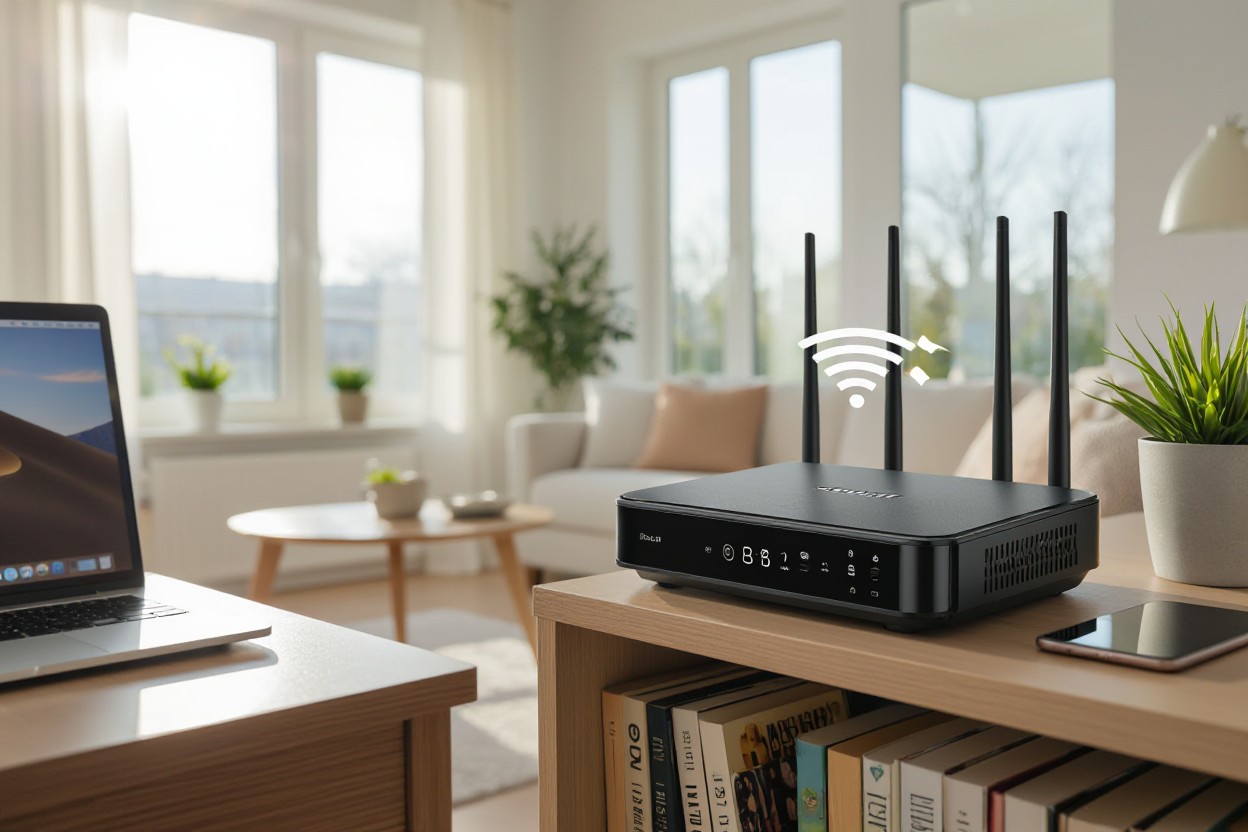
In today’s interconnected world, a fast and reliable internet connection is no longer a luxury—it’s a necessity. Whether you’re streaming 4K video, participating in a crucial video conference, or battling it out in an online game, a strong and consistent Wi-Fi signal is essential. At Stay Connect, we know that even the best internet service can feel slow if your home network isn’t optimized. You see, the placement of your router is one of the most critical, yet often overlooked, factors that directly impact your signal reach and overall performance. A simple move can make a world of difference, improving latency, boosting throughput, and ensuring you get the most out of your connection. This guide will walk you through the key principles of router placement to help you achieve faster internet and a seamless online experience.
The Impact of Router Placement on Internet Speed
Placing your router in a central, elevated spot often fixes slow zones: moving from a corner basement to a first-floor hallway can boost usable throughput by 30–50% upstairs. Solid barriers matter—two interior walls typically cut wireless throughput significantly, while concrete or metal can completely wipe out most of the signal. Positioning also affects latency and packet loss, so minor adjustments or angling antennas toward main living areas can deliver noticeably faster internet for streaming and gaming.
How Distance Affects Signal Strength
Signal drops with distance and frequency: 5 GHz offers higher throughput but a reliable range of about 30–50 feet (9–15 m) indoors, while 2.4 GHz can reach 100–150 feet (30–45 m) with lower top speeds. Throughput can halve with each few obstacles—two walls may reduce speed by 30–50%. You can map changes by running an internet speed test in different rooms, then place devices or extenders where speeds stay within 20% of your router’s peak.
Interference: The Silent Speed Thief
Other electronics and neighboring networks can steal bandwidth: microwaves, Bluetooth speakers, cordless phones and baby monitors all operate near 2.4 GHz, causing retries and latency spikes that lower throughput. Overlapping Wi‑Fi channels from nearby apartments create contention; choosing less crowded bands and enabling 5 GHz for bandwidth‑hungry devices often yields faster internet in busy environments.
Mitigate interference by switching to a non-overlapping channel, such as 1, 6, or 11, using the 20/40/80 MHz channel widths wisely, and enabling beamforming or band steering if your router supports these features. Place the router away from kitchens, metal cabinets, and large aquariums; elevate it and orient antennas toward device clusters. For stubborn dead zones, add a mesh node with wired Backhaul or a wired Ethernet run to preserve speed and reduce wireless congestion.
Ideal Locations for Your Router
Place your router near the geometric center of your living area—not in closets or against exterior walls—to minimize the average distance to devices and reduce through-wall losses. Open placement on a shelf or table reduces reflections from furniture and metal appliances, helping deliver faster internet to multiple rooms for streaming, gaming, and video calls.
Central Positioning: Why It Matters
Centering your router lowers the maximum distance any device must reach, often improving signal strength by several dB; place it within 10–20 feet of main usage zones and away from concrete or brick barriers. You can pair central placement with a mesh node in long layouts, and an internet speed test after moving confirms real gains in real-world throughput and latency.
Elevation: The Benefits of Height
Mounting your router higher—on a shelf or wall bracket—improves line of sight and reduces floor-level obstructions, often boosting 5 GHz coverage by 10–30%. Point antennas vertically for even horizontal spread. Higher placement helps you reach upper rooms and reduces interference from large furniture, improving your chance of faster internet for devices across the home.
In multi-story homes, locate the router on the upper floor near the center to serve both levels; in single-level apartments, ceiling or high-wall mounts near living spaces work best. Keep a 1–2 meter clearance from mirrors, large metal objects, and water tanks that reflect signals. For mixed use, use 5 GHz for nearby high-bandwidth devices and 2.4 GHz to cover farther rooms, or add mesh satellites to eliminate persistent dead zones.
Environmental Considerations for Optimal Connectivity
Interference from household electronics, metal studs, and large water bodies can reduce throughput and latency, so it’s essential to scan rooms for sources such as microwave ovens, cordless phones, and fluorescent lights. Place the router away from dense wiring and reflective surfaces; heat and humidity also stress hardware and can lower sustained throughput. Minor tweaks here can yield noticeably faster internet without buying new gear.
Walls and Obstacles: The Signal Blockers
Dense materials—such as concrete, brick, and metal—absorb and reflect radio waves. Heavy concrete walls often reduce signal by 10–20 dB, while metal studs or foil-backed insulation create deep nulls. You’ll get better range on 2.4 GHz indoors, while 5 GHz offers higher throughput but roughly half the wall penetration. Fish tanks, mirrors, and refrigerators act like mini barriers, so avoid placing the router behind or beside them to preserve faster internet performance.
Room Layout: Designing for Signal Flow
Centering the router in an open area, approximately 1.5–2 meters high, reduces obstructions and ensures even coverage; corners and low cabinets trap RF signals and create dead zones. Position antennas vertically for horizontal device coverage, and add a mesh node every 10–15 meters in large homes or where walls block sightlines. These placement moves often translate into a measurable boost in faster internet for multiple devices.
For denser layouts, run wired Backhaul between the primary router and satellite nodes to avoid halving wireless throughput. Place nodes near stairwells or open hallways to exploit vertical signal paths. Angle directional antennas toward high-use rooms, keep units off the floor, and test changes with one internet speed test after each adjustment to confirm real-world gains.
Advanced Strategies for Enhancing Router Efficiency
Apply targeted tweaks—keep firmware updated, enable QoS to prioritize video and gaming, disable legacy 802.11b modes, and utilize beamforming to focus the signal where devices are located. Move bandwidth-hungry gadgets to 5 GHz or 6 GHz for a 2–3× throughput boost at close range. Set wired Backhaul for nodes and separate SSIDs for IoT. After each change, benchmark performance to confirm measurable improvements in faster internet.
- Keep firmware and drivers current; enable security patches.
- Use QoS to prioritize conferencing and streaming traffic.
- Deploy wired backhaul for mesh or multiple APs.
- Enable MU‑MIMO and beamforming for dense device loads.
- Choose non-overlapping 2.4 GHz channels (1,6,11) and wider 5 GHz channels.
- Limit guest and IoT bandwidth with VLANs or separate SSIDs.
Quick Strategy Breakdown
| Strategy |
Why it helps / How to implement |
| Wired Backhaul |
Removes wireless hop penalties; connect APs with Ethernet for full throughput. |
| QoS Rules |
Prioritizes latency-sensitive apps (VoIP, gaming); set by device or application. |
| Band Steering |
Automatically moves capable devices to 5/6 GHz for higher throughput. |
| Channel Width Management |
Use 20/40 MHz on 2.4 GHz, 80–160 MHz on 5/6 GHz where interference is low. |
Utilizing Multiple Access Points
Install additional APs or mesh nodes with wired Ethernet backhaul to eliminate coverage gaps and reduce client contention. For homes over ~1,500 ft² or multi-story layouts, aim for one AP per floor or spacing of about 30–50 feet in dense areas; office deployments need closer spacing. Configure the same SSID with band steering so devices roam smoothly, then run an internet speed test once to confirm the faster internet speed.
Adjusting Frequency Bands for Performance
Shift heavy-use devices to 5 GHz or 6 GHz to lower latency and increase peak throughput. 5 GHz supports wider channels (20–160 MHz), and 6 GHz (Wi-Fi 6E) adds clean spectrum for compatible clients. Keep low-bandwidth sensors on 2.4 GHz and use channels 1, 6, 11 to avoid overlap; these adjustments often yield noticeably faster internet for streaming and gaming.
Balance channel width against interference: use 20 MHz on 2.4 GHz to reduce collisions, 40–80 MHz on 5 GHz for most homes, and reserve 160 MHz for single-room, high-demand setups, as it halves the available non-overlapping channels. Watch for DFS channels on 5 GHz that can provide extra spectrum but may trigger temporary channel moves due to radar detection. Test after changes and monitor device compatibility—many older devices won’t support 160 MHz or 6 GHz, so staged rollouts work best.
Common Misconceptions About Router Placement
The Myth of the Corner Position
Placing your router in a corner often reduces coverage rather than improving it; walls, furniture, and reinforced concrete can cut signal strength by 3–10 dB each, and push the 5 GHz signal down to -80 dBm, where streaming stalls. A central, elevated spot allows signals to radiate evenly, so 2.4 GHz reaches distant rooms while 5 GHz serves nearby devices. For faster internet, prioritize line-of-sight and open space over hiding the router behind a shelf.
Wireless Extenders: Help or Hindrance?
Range extenders can patch dead zones but commonly halve bandwidth on the repeated band because a single-radio repeater must receive and resend packets, turning a 200 Mbps link into roughly 100 Mbps for clients behind it. You may also be forced to jump SSIDs and see higher latency. Run an internet speed test after adding an extender; if results fall, consider mesh or wired access points to regain consistent, faster internet.
Place an extender about halfway to the dead zone where it still reads -60 to -67 dBm from your router; any weaker and the extender repeats a poor signal. Choose dual-band units that dedicate one band to Backhaul, or use Ethernet/powerline backhaul to preserve throughput — wired links can sustain gigabit plans. For homes over ~2,500 sq ft or with numerous brick walls, a mesh Wi-Fi system provides smoother coverage and supports faster internet throughout the entire house.
Wrapping Things Up
Optimizing your home network for faster internet is a journey of small, strategic steps. The single most impactful change you can make is to rethink your router’s placement. Put it high and central, away from thick walls and electronics, to give your signal the best possible path. For a large home, consider a mesh system or wired Backhaul to eliminate dead zones and ensure seamless connectivity. At Stay Connect, we provide not just a connection, but a comprehensive solution designed to keep you online without interruption. Our advanced Fixed Wireless Internet and fiber-based services are built for reliability, and by combining them with smart placement, you can unlock their full potential. Run a final internet speed test after making these changes to see the gains for yourself—small moves can lead to a noticeably faster and more stable experience, a core promise of the Stay Connect experience.
FAQ
Q: Where is the best place in my home to put the router?
A: Put the router in a central, open spot near the main area where you use devices. Place it high on a shelf or wall, not inside a cabinet or on the floor. Keep it away from thick walls, large metal objects, mirrors, and appliances such as microwaves or cordless phones that can cause interference. A central location provides more even coverage, helping to deliver better Wi-Fi throughout the rooms.
Q: Should I put the router near windows or near the modem?
A: Keep the router close to the modem so cables stay short, but move the pair toward the center of the home if possible. Avoid placing the router right next to windows; the signal can leak outside and lose strength indoors. If your modem is in a corner, use a short Ethernet cable to place the router in a better spot. Select a location that strikes a balance between proximity to the modem and the devices you use most frequently.
Q: Is wired or wireless better for faster internet, and how can I check?
A: Wired Ethernet gives the most stable and highest real-world speeds for gaming, streaming, and work. Use a CAT5e or CAT6 cable for full gigabit performance. If running cables is hard, consider powerline adapters or a mesh system with wired Backhaul. To see actual performance, run an internet speed test from both a wired device and a Wi-Fi device to compare the results.
Q: Do router settings and interference affect speed?
A: Yes. Update router firmware, pick the less crowded channel (use 2.4 GHz for range, 5 GHz for higher local speed), enable QoS to prioritize video or calls, and set strong security (WPA2/WPA3). Place the router away from other wireless devices and Bluetooth gadgets to reduce interference. Proper settings and less interference help you get faster internet and more reliable connections.
Q: Should I upgrade my router or add extenders or mesh to get better coverage?
A: If your router is old, upgrading to a modern model (Wi‑Fi 5, Wi‑Fi 6, or Wi‑Fi 6E) can improve range and support more devices. For large or multi-floor homes, a mesh Wi-Fi system provides a consistent signal by using multiple access points. Extenders can help, but may halve wireless bandwidth on the extended link. Consider dual-band or tri-band gear and wired Backhaul for higher speeds and less congestion to achieve faster internet across the house.
Is your current internet setup not delivering the speed and reliability you need, no matter where you place your router? It might be time to upgrade your service. At Stay Connect, we specialize in providing cutting-edge internet solutions designed for peak performance. Whether you’re in the city or a rural area, our Fixed Wireless Internet and fiber-based solutions are engineered to bypass common signal issues and deliver a robust connection directly to your home or business.
Contact us today or visit our website to discover our range of solutions and find a plan that’s right for you. With Stay Connect, you can finally get the faster internet you deserve.
How Does Hassle-Free Internet Boost Your Productivity?
Stay Connected: Your Guide to Understanding Wireless Internet
What Are 7 Ways Wireless Internet Connection Saves Money?