
I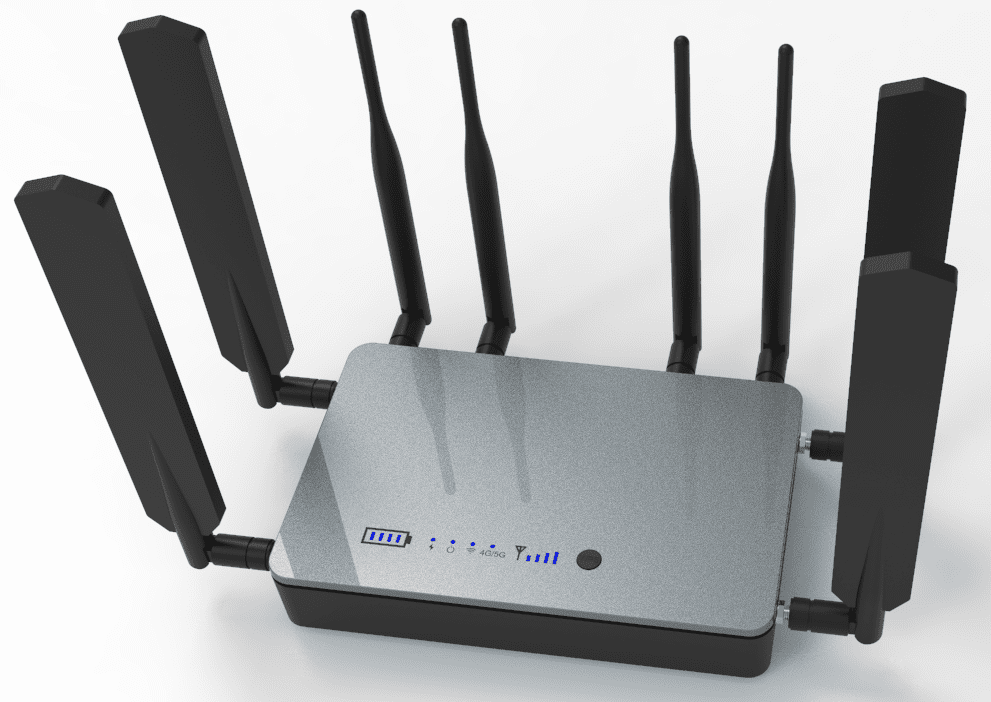
If you ever wonder, ‘Do I need a router if I have WiFi?’ you are not alone. Many homeowners and business owners ask this when setting up their home internet or wireless network for the first time. Stay Connect knows good internet matters. We help people understand their internet gear and choose the right products so they get strong, fast, and reliable internet in every room.
We will explain what a router and modem do, how WiFi works, and whether you really need a router even when you already have WiFi. You will learn the differences between these devices, how they enhance your internet connection, and why Stay Connect offers great options for improving your home network.
What are WiFi, Router, and Modem?
What Is WiFi?
WiFi is a wireless connection that lets your devices communicate with each other and the internet without wires. Your phone, laptop, smart TVs, and tablets use a WiFi signal to connect to your home internet.
What Is a Router?
A router is a device that:
- Takes the internet from your modem
- Creates a WiFi network in your home
- Allows many devices to connect to the internet at the same time
- Gives your home network a local area network (LAN) so devices can talk to each other
Without a router, only a single device can connect to your internet via a wired connection. A router lets many devices connect wirelessly or with an Ethernet cable.
What Is a Modem?
A modem is a device that connects your home to the internet service provider (ISP). It brings the internet to your house. Most ISPs give you a modem that plugs into the wall. The modem then sends the internet to a router.
Modem vs Router: What’s the Difference?
- Modem: connects your home to the internet
- Router: shares the internet with your devices (WiFi or wired)
A modem cannot give WiFi on its own, and a router can’t connect directly to the ISP without a modem. You need both to have a complete wireless internet setup in most cases.
Do I Need a Router If I Have WiFi?
Short answer: Yes, you still need a router even if you have WiFi.
Why?
- WiFi by itself is just a wireless signal your devices use to connect
- That signal must come from a router or a device acting like a router
- The router receives the internet from the modem and broadcasts WiFi
- Without a router, just one device can connect with a wired connection, and you will not have true WiFi
So if someone has told you you have “WiFi,” they usually mean you have a modem-router combo from your ISP or a separate wifi router in your home.
What Happens Without a Router?
If you try to use WiFi without a router:
- You might not get any WiFi signal at all
- Only one device could connect with an Ethernet cable
- Your devices would not be able to talk to each other on a home network
- You could lose access to the internet on phones, tablets, smart TVs, and laptops
For most homes and businesses, a router and modem setup is the best way to get strong, fast internet for all your tech.
Modem and Router Setups You Might See
There are a few different options for your internet equipment:
1. Separate Modem and a Router
You have two devices:
- A modem connected to your ISP
- A router connected to the modem
This is the most common setup for strong WiFi and fast internet speeds. You can choose your own router and upgrade when you need to.
2. Modem and Router Combo
Some ISPs give you a cable modem router combo. This single device:
- Connects to your ISP
- Creates WiFi
- Lets many devices connect
This is simpler but not always the best for big homes or very fast internet speeds.
3. Advanced Router (No Separate Modem)
There are some devices that use cellular or wireless internet without a separate modem. These work like both a modem and a router in one, but they are uncommon in most home internet plans.
Why a Router Matters for Your WiFi
Here is what a router gives you:
- Broadcasts WiFi to every room
- Lets many devices use the internet at the same time
- Provides fast wireless speeds for streaming, video calls, and gaming
- Helps manage internet traffic so nothing slows down
- Works with wired connections via Ethernet ports
Without a router, you often have weak or no WiFi in parts of your home or office.
Common Questions About the Router and WiFi
Can I use Wi-Fi without a router?
No. WiFi must come from a router or modem-router combo. Without a router, you will not have a wireless network for phones, laptops, or smart TVs.
Do I need a router if I have a smart TV?
Yes. To access the internet, a smart TV must be connected to a router by Wi-Fi or Ethernet. The router lets your TV stream shows and connect to apps without wires.
Do I need a modem if I have Wi-Fi?
Yes. A modem connects your home to your ISP and brings the internet to your router. Then the router shares the internet connection via Wi-Fi and wired connections.
What is the difference between a router and a modem?
A modem links your home to the internet. A router shares the internet with all your devices and gives you a home WiFi network.
Can multiple devices connect at once without a router?
Not really. You need a router to connect many devices at the same time, wirelessly or with a LAN Ethernet connector.
Do I need both a modem and a router for internet access?
In most homes, yes. You need both a modem and a wireless router. The internet modem delivers internet from your internet provider, and the router connects your home network so devices can use the internet wirelessly or through wired internet.
How does a router work with my home internet connection?
A router takes signals from your internet service and shares them with your devices. It assigns an IP address, the router creates a local area network, and lets multiple devices to connect at the same time.
Can I connect devices to the internet without a router?
A single device can connect to a wired internet, but a router is needed to share a single internet connection. Routers allow many devices to connect and send data across the network to the internet.
Does a fiber optic or DOCSIS 3.1 cable modem change what I need?
No. Whether you use a fiber optic or a DOCSIS 3.1 cable modem, you still need a router. The modem delivers internet, and the router provides internet access to devices in your home.
What should I look for when buying a router?
When buying a router, look for one that supports fast speeds, strong WiFi coverage, and many devices. Good routers broadcast stable signals, support the fastest wireless speeds, and help you find the right internet options for your home or office.
Final Thoughts
If you want fast wireless internet, smooth streaming, and strong WiFi for all your phones, tablets, laptops, and smart TVs, you do need a router if you have WiFi. A good router creates a wifi network that lets every device in your home access the internet without lag or trouble. Pairing it with the right modem from your internet service provider makes your whole network faster and more stable.
Stay Connect has quality routers and solutions to help you stay connected at home or work. Our products work with many ISPs and help you get the most out of your internet plan.
Ready to power up your home internet and connect every device with fast wireless speeds? Visit Stay Connect to find the perfect routers and modems for your home network and business needs. Our team can help you choose the right router, modem and router setup, or wireless solution for Dallas, Texas, and surrounding areas. Call us at (888) 997-6877 to book your tech support or visit our products page today.
Also Read: